How to Slot a Course via Prioritize Eligible Courses
Posted: October 3, 2025 at 3:12 pm
Open the student’s audit and confirm that you are viewing the “official” version.

Scroll to the requirement for which you want to slot a course via Prioritize Eligible Courses.
- Select the ellipses
- Select “Prioritize Eligible Courses”
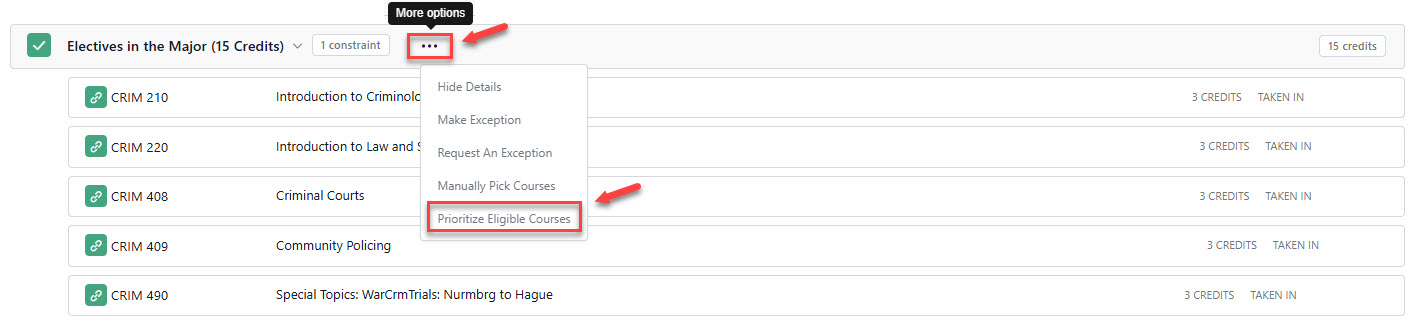
Prioritize Eligible Courses
- Search for and select the course you want to prioritize
- Add a justification
- Select Submit
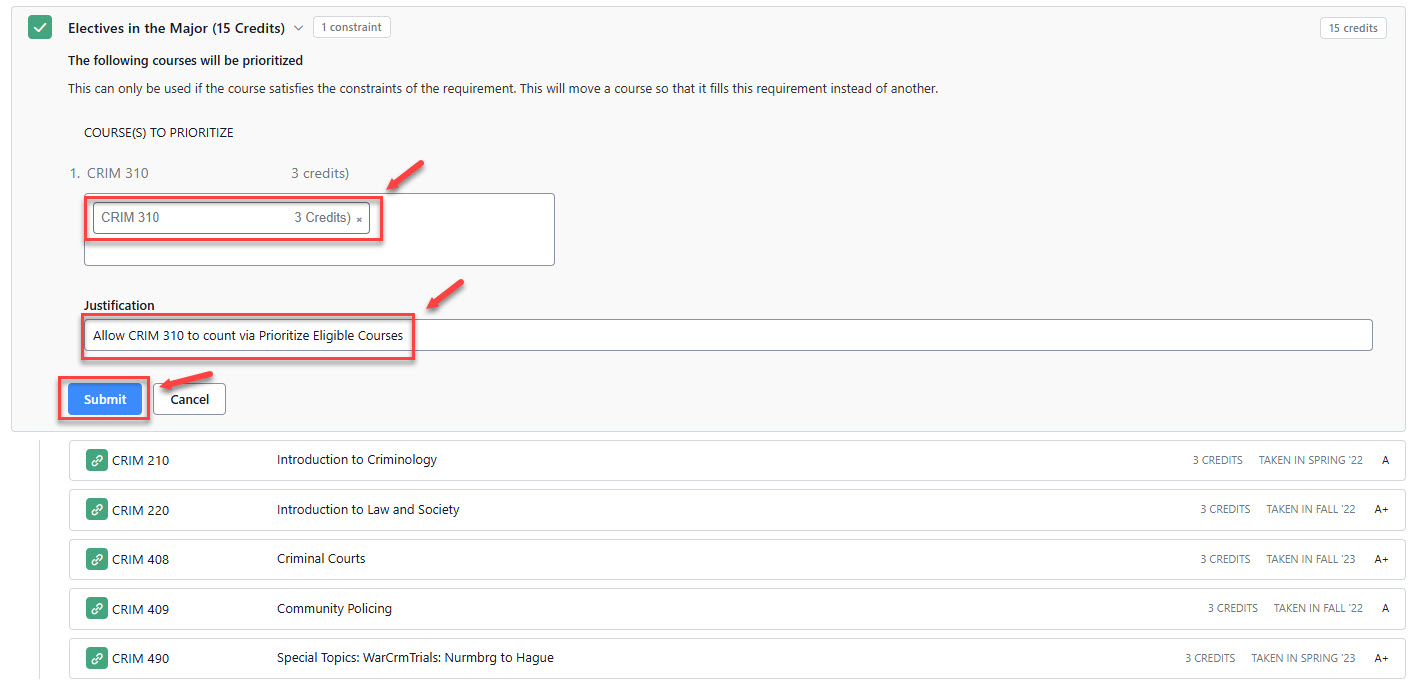
Check to Ensure Course Slotted
- “X” Prioritized Courses will show on the requirement with the course slotting

Make a Change to a Previously Applied Prioritized Course
- To edit an existing Prioritized Course to either change the course listed or add additional courses, choose the “edit” option and make the changes.

- To delete an existing Prioritized Course, choose the “undo” option.

Search Topics
More results...