Credential View and Display Order

Quick Links: Credential View | Display Order | Credential View Order Examples | Filter Students by Credential and View by Credential Progress

Credential View

The Credential View pulls together a student’s degree program, which includes major, minor(s), degree requirements, Mason Core requirements, college requirements, and/or department requirements, into one view. If a student has more than one degree, each degree and its components will be grouped separately under distinct credentials. In addition, when a student applies to graduate, the audit will display a graduation clearance section, identifying the program(s) and term(s) for which the student has applied.

[Back to Top]

Display Order

When a student has multiple credentials, the order in which they will display as follows:

First – any credential with a graduation application on file
Middle – any credential without a graduation application on file that has not yet been awarded
Last – any credential that has been awarded

If there are multiple credentials within a tier, undergraduate credential(s) will display first followed by graduate credential(s). If the credentials are in the same level (e.g., two undergraduate credentials or two graduate credentials), the primary degree listed in Banner will display first.

[Back to Top]

Credential View Order Examples

Example 1:

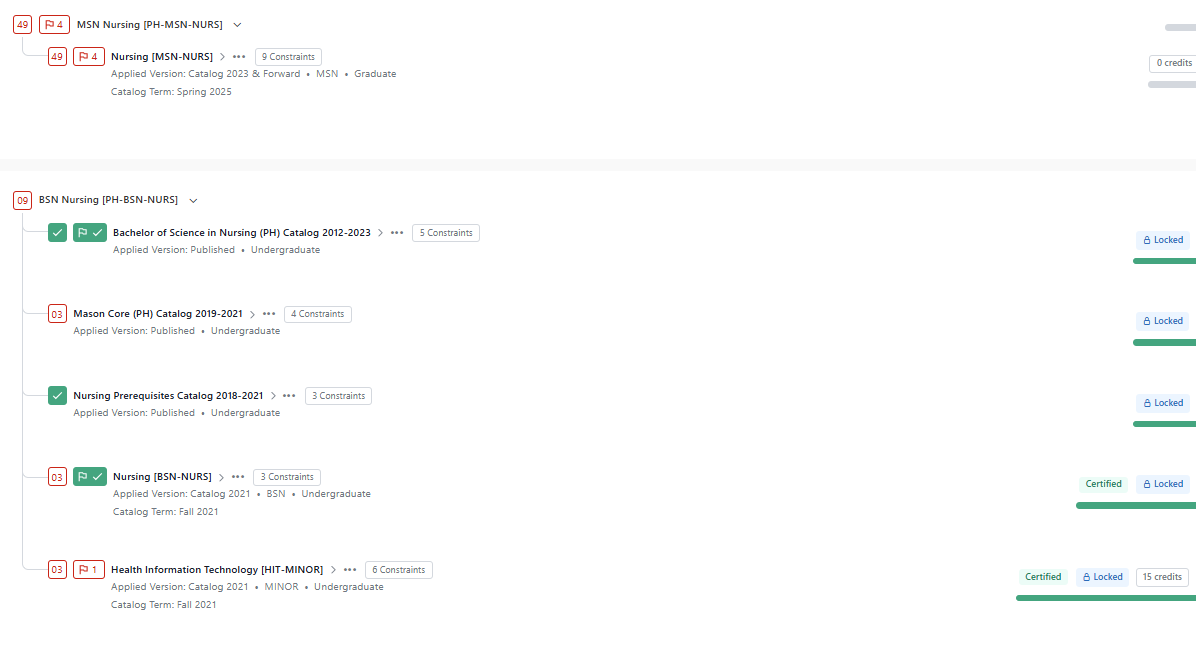
A student with a bachelor’s degree and a master’s degree will have multiple credentials for different degrees in the audit.

Student Profile View
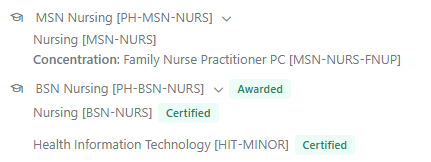
Degree audit showing MSN Nursing with Family Practitioner concentration, BSN Nursing (Awarded and Certified), and Health Information Technology minor (Certified).

Student Audit View

View of degree audit, displaying MSN Nursing credential with nested requirement Nursing as well as BSN Nursing credential (Locked) with nested requirements Bachelor of Science in Nursing (PH) Catalog 2012-2023, Mason Core (PH) Catalog 2019-2021, Nursing Prerequisites Catalog 2018-2021, Nursing, and Health Information Technology minor.

Example 2:

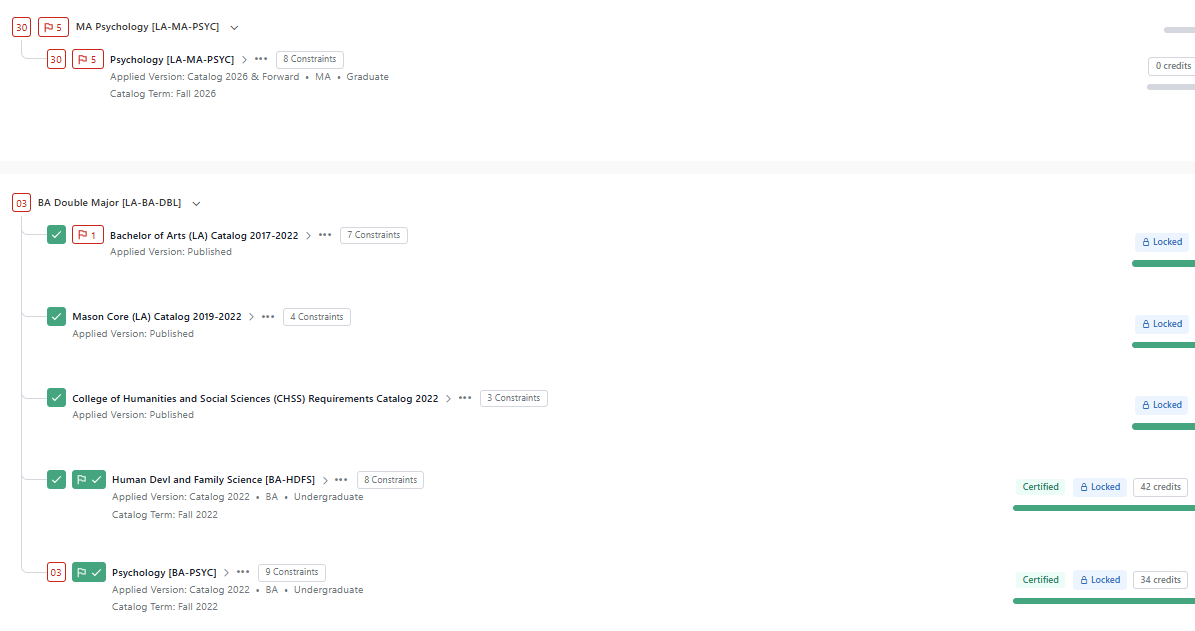
A student pursuing a double major degree will have both majors within the double major degree credential view.

Student Profile View
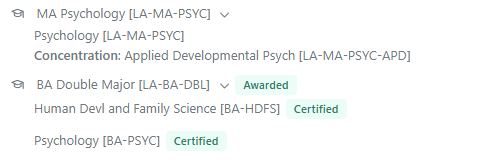
Degree audit showing MA Psychology with an Applied Developmental Psychology concentration, and a Double Major credential (Awarded) with Human Development and Family Science and Psychology programs (Certified).

Student Audit View

View of degree audit, displaying MA Psychology credential with nested requirements MA Psychology major as well as BA Double Major credential (Locked) with nested requirements Bachelor of Arts (LA) Catalog 2017-2022, Mason Core (LA) Catalog 2019-2022, College of Humanities and Social Science (CHSS) Requirements Catalog 2022, BA Human Development and Family Science major and BA Psychology major.

Example 3: 

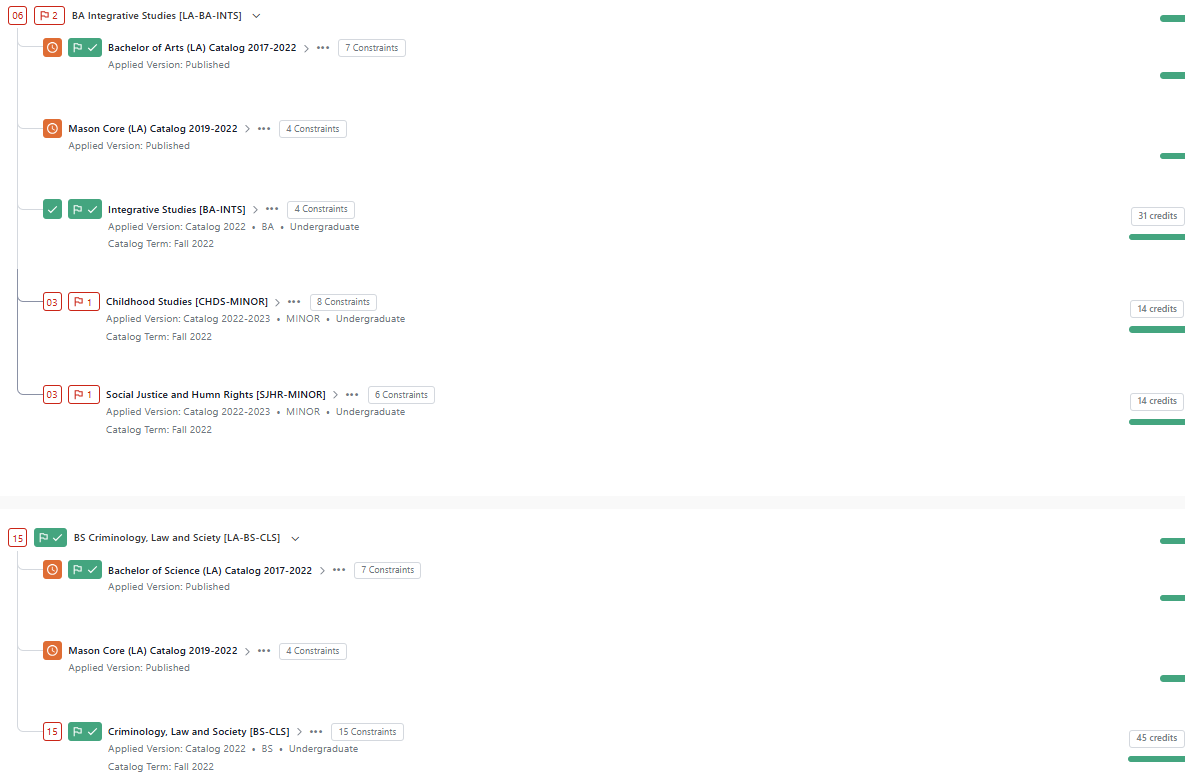
A student pursuing a dual degree will have two separate credential views, one for each degree with the associated major within each and relevant requirement components. If the student is also pursuing any minors, the minor(s) will be grouped under the primary degree, aligning with the student’s record in Banner.

Student Profile View
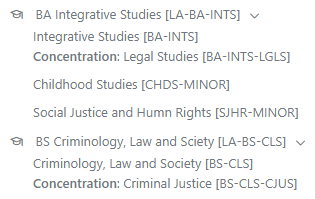
Degree audit showing BA in Integrative Studies with a Legal Studies concentration, Childhood Studies minor, and Social Justice and Human Rights minor, alongside a BS in Criminology, Law and Society with a Criminal Justice concentration.

Student Audit View

View of degree audit, displaying BA Integrative Studies credential with nesting requirements Bachelor of Arts (LA) Catalog 2017-2022, Mason Core (LA) Catalog 2019-2022, BA Integrative Studies major, Childhood Studies minor, and Social Justice and Human Rights minor as well as BS Criminology, Law and Society credential with nested requirements Bachelor of Science (LA) Catalog 2017-2022, Mason Core (LA) Catalog 2019-2022, and BS Criminology, Law and Society major.

[Back to Top]

Filter Students by Credential and View by Credential Progress

You can now filter students by credential by choosing the Graduation filter > Credential > In Specific Credential > search for credential.
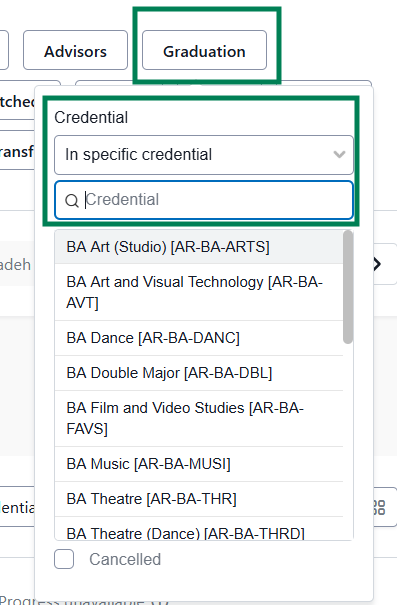
Graduation view filter menu, showing a credential selection, including a dropdown list of credentials expanded with a search field available, displaying credentials, such as BA Art (Studio), BA Art and Visual Technology, BA Dance, BA Double Major, BA Film and Video Studies, BA Music, BA Theatre, and BA Theatre (Dance).

You can also view student lists by Credential Progress, which will display the credential(s) and components within the credential(s) for each student in your list.
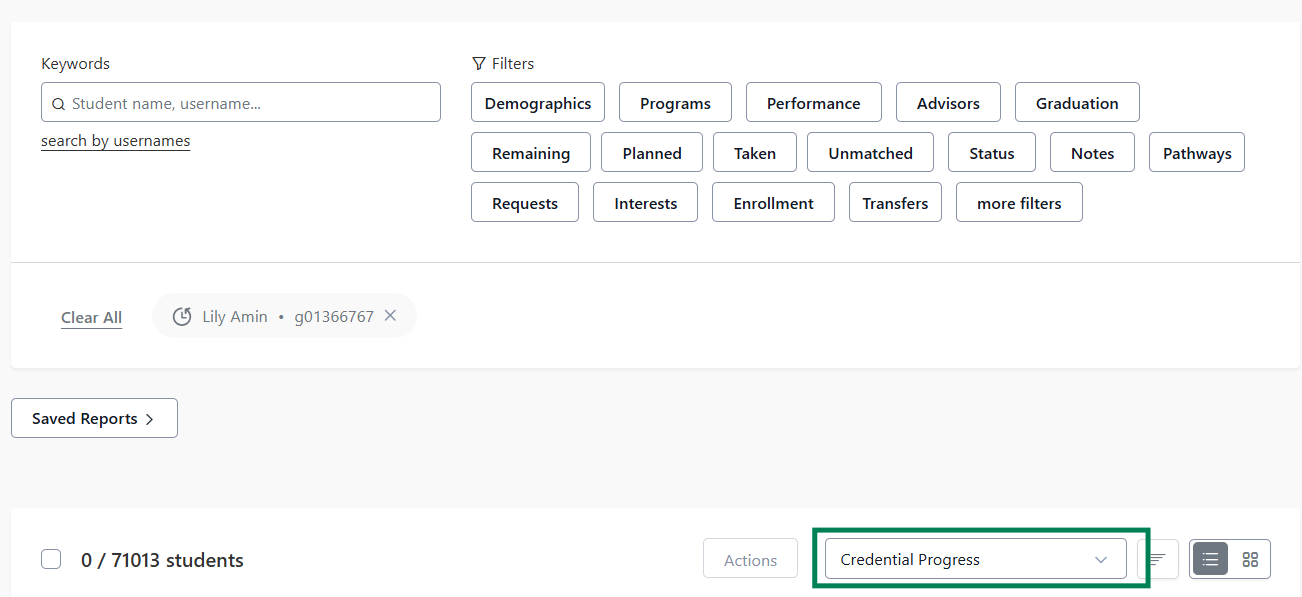
Student dashboard, showing search and filter options, such as Demographics, Programs, Performance, Advisors, Graduation and additional filters. Report view selector at the bottom right shows "Credential Progress".

[Back to Top]