Degree Audit FAQ
Please follow these instructions to log in to review your audit:
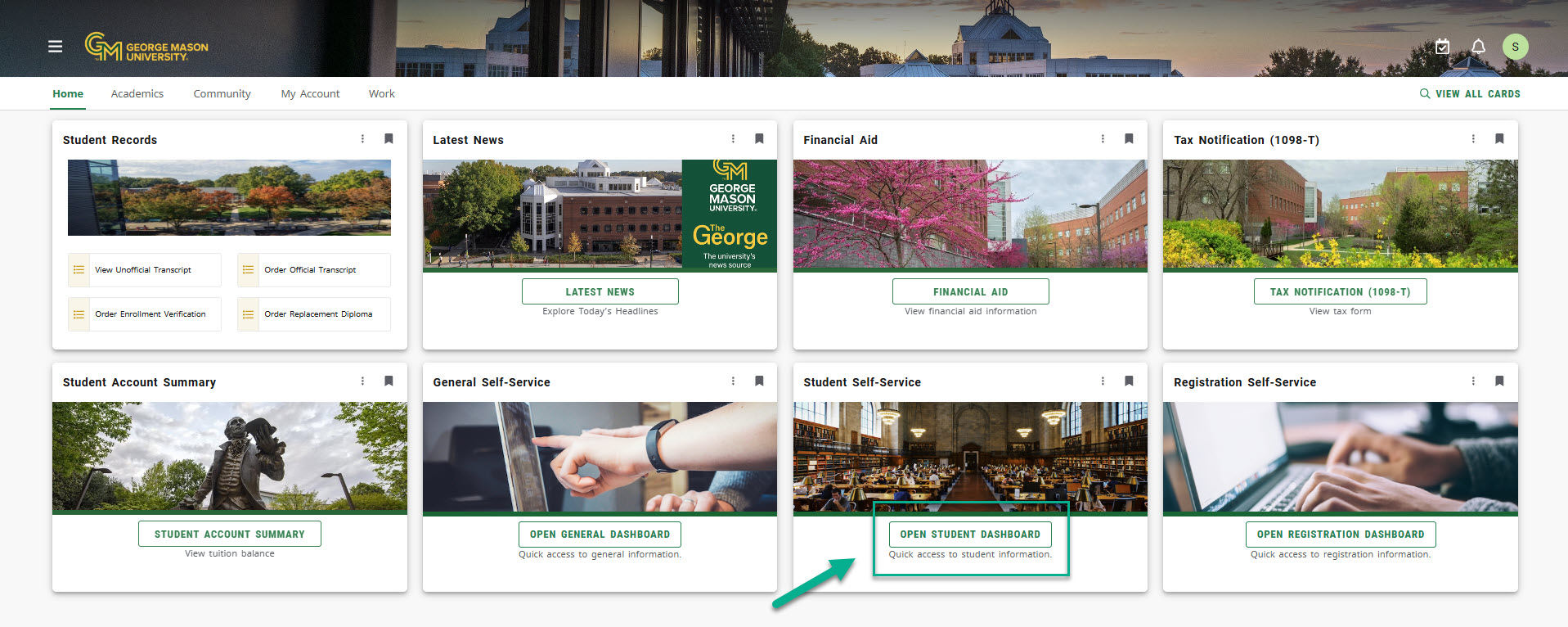
Log into Patriot Web (https://patriotweb.gmu.edu), then click on Open Student Dashboard link under the Student Self Service card:
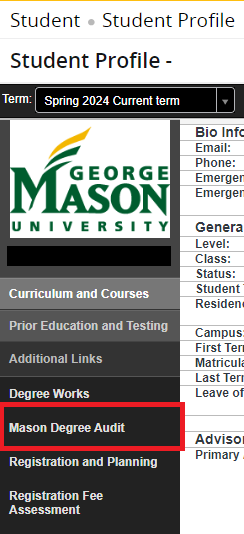
In the left-hand navigation pane of the Student Profile, select Mason Degree Audit:
To log into the new Mason Degree Audit as an advisor, log into Patriot Web (https://patriotweb.gmu.edu), then click on the Mason Degree Audit in the Advising Self Service Card:
